
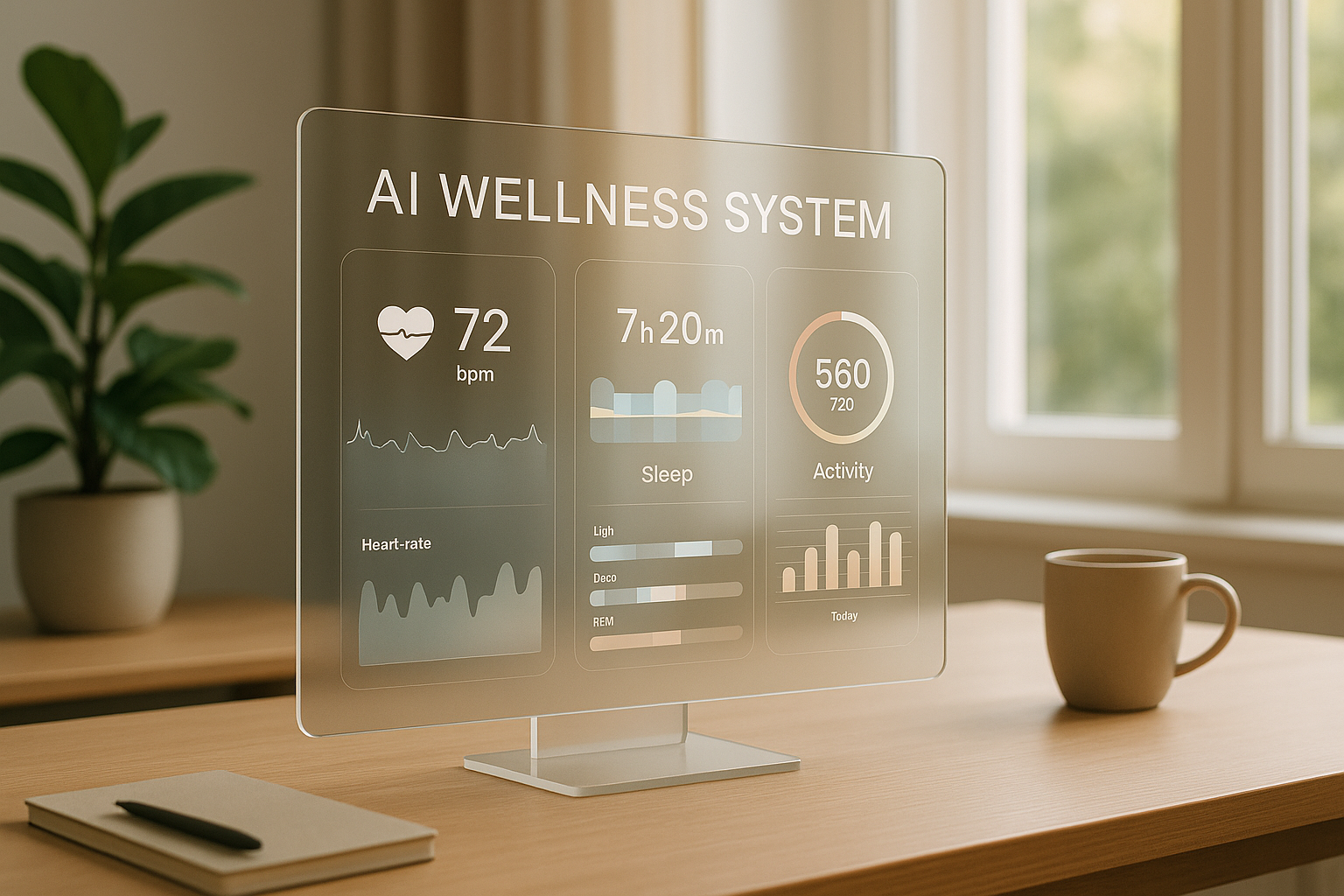
AI wellness systems simplify health management by using your personal data to provide insights and recommendations. Here’s a quick guide to getting started:
- What It Does: Tracks activity, sleep, nutrition, and vital signs to improve your well-being.
- Key Features to Look For:
- Secure data handling (HIPAA/GDPR compliance)
- Real-time health monitoring
- Personalized recommendations
- Integration with wearables and apps
- Setup Steps:
- Connect devices like fitness trackers and sleep monitors.
- Set health goals (e.g., steps, calorie intake, sleep hours).
- Enable alerts for activity, hydration, and sleep.
- Example Platform: BondMCP integrates multiple devices, analyzes data, and provides actionable insights while ensuring data security.
Quick Tip: Start with clear goals and track progress weekly to refine your health strategy. Use AI insights to make smarter daily decisions.
Take Charge of Your Health with AI Tools You Can Use at Home
Choosing Your AI Health Platform
Pick an AI health platform that works seamlessly with your devices while providing clear, actionable insights. Look for features that support secure, real-time health monitoring to meet your needs.
Key Features to Look For in AI Health Tools
When assessing AI health platforms, focus on these critical features to ensure the system offers maximum value:
| Feature | Purpose | Benefit |
|---|---|---|
| Data Security | Ensures HIPAA and GDPR compliance | Keeps your health data safe |
| Real-time Monitoring | Tracks health 24/7 | Responds quickly to health changes |
| Lab Integration | Analyzes biomarkers | Delivers detailed health insights |
| AI Health Assistant | Provides personalized guidance | Offers continuous support |
| Predictive Analytics | Identifies potential risks | Helps prevent future health issues |
| Expert Access | Connects to medical professionals | Validates AI-generated insights |
Protecting health data is crucial. Studies indicate that AI systems can re-identify 99.98% of individuals in anonymized datasets using as few as 15 demographic attributes [2].
BondMCP Platform Overview
BondMCP is a standout option among platforms offering these features. It connects multiple health data sources using its Model Context Protocol (MCP), enabling real-time data processing and smooth integration with your devices and apps.
Here’s what makes BondMCP noteworthy:
1. Smart Data Integration
- Links wearables, lab results, and fitness metrics
- Builds a complete health profile
- Facilitates communication across devices
2. Automated Health Management
- Analyzes patterns to provide real-time, personalized advice
- Adjusts recommendations based on ongoing feedback
3. Advanced Security Measures
- Implements enterprise-level security protocols
- Adheres to strict privacy standards
- Regularly updates and audits security systems
This all-in-one system eliminates the hassle of juggling multiple apps. To get the most out of BondMCP, make sure to complete your health profile and keep your data sources updated. This allows the AI to deliver the most accurate and personalized guidance for your health journey.
Setting Up Your Health Data Sources
Securely connect your devices to get accurate insights from BondMCP. Strong connectivity and strict data protection are the foundation of BondMCP's personalized health tracking.
Connect Your Health Devices
BondMCP's setup wizard makes connecting your devices straightforward. The platform works with a range of wearables and medical devices to give you a full picture of your health.
Here’s how to get started:
-
Device Setup and Pairing
- Go to the "Connections" section in your BondMCP dashboard.
- Select the devices supported by your wellness program.
- Connect using Bluetooth or by authorizing through third-party apps.
-
Verification
- Take an initial reading to confirm the data is transmitting correctly.
- The system will automatically sync as new measurements are taken or when connectivity is stable.
Protect Your Health Data
A recent survey found that 79% of American adults worry about how their personal health data is used [3].
| Security Measure | Implementation | Purpose |
|---|---|---|
| Encryption | Data encrypted at rest and in transit | Blocks unauthorized access |
| Access Control | Principle of least privilege | Reduces unnecessary data exposure |
| Consent Management | Requires explicit authorization | Ensures compliance with privacy laws |
| Regular Audits | Automated security checks | Maintains system reliability |
"If the platform is not built with security in mind, it could leak PHI." - Rony Gadiwalla, CIO at GRAND Mental Health [4]
To keep your personal health data safe, follow these steps:
-
Review Privacy Settings
- Manage who can access your data.
- View your full health record.
- Edit or delete personal information as needed.
-
Monitor Data Access
- Keep track of which apps and devices have access.
- Check detailed logs for data usage.
-
Enable Security Features
- Use two-factor authentication.
- Set up biometric login if available.
- Turn on automatic session timeouts.
- Opt-in for regular security alerts.
sbb-itb-f5765c6
Setting Personal Health Goals
BondMCP's AI system helps you turn your health aspirations into clear, actionable goals. By setting and tracking these objectives, you can create a more focused and measurable approach to wellness.
Configure Your AI Health Tracking
Set up tracking that aligns with your personal health priorities. Whether you're concentrating on fitness, improving your diet, or optimizing sleep, BondMCP adjusts to your needs. Using the Iterative Mindset Method™, the platform learns from your habits and refines its recommendations over time [1].
Here’s how to set up your tracking effectively:
-
Define Your Primary Health Objectives
Start by identifying the key areas you want to work on. Establish baseline metrics and decide how often you want to track your progress. -
Establish Measurement Parameters
Input specific targets for vital signs, activity levels, or dietary goals. For example:- Set step goals or minutes of exercise per week
- Define calorie intake and macronutrient ratios
- Outline sleep duration and quality targets
| Health Area | Tracking Metrics | Goal Example |
|---|---|---|
| Fitness | Heart rate, steps, workouts | 30 minutes of exercise, 5 days a week |
| Sleep | Duration, cycles, quality | 7–8 hours per night, with 90-minute REM cycles |
| Nutrition | Calories, macros, hydration | 2,000 calories daily, 25% protein intake |
Once you’ve configured your tracking, you can personalize alerts to turn your data into actionable insights.
Customize Your Health Alerts
BondMCP’s alert system ensures you stay informed without feeling overwhelmed. You can tailor notifications to fit your schedule and priorities, while the AI delivers timely updates based on your habits.
Key Alert Options:
-
Activity Reminders
- Notifications to move during long periods of inactivity
- Workout reminders and recovery time suggestions
-
Health Metrics Monitoring
- Alerts for heart rate thresholds
- Sleep cycle updates
- Hydration prompts
To make alerts work for you:
- Adjust notifications to match your daily routine
- Enable critical alerts for immediate health updates
- Set quiet hours for uninterrupted sleep or focus
- Update thresholds as your progress evolves
This flexibility ensures you stay on track without unnecessary distractions.
Using AI Health Insights
BondMCP's AI system helps turn your health data into practical insights, offering guidance for better daily decisions. These insights can shape your wellness journey by making your health data easier to understand and act on.
Read Your Health Data Reports
BondMCP processes your health metrics to generate detailed reports that highlight trends and provide personalized suggestions.
Key Report Components:
| Report Element | What to Look For | Actions |
|---|---|---|
| Trend Analysis | Changes in vital signs and activities | Adjust routines based on identified trends |
| Health Scores | Daily ratings from 1-100 | Focus on areas impacting lower scores |
| Risk Indicators | Early signs of potential health issues | Address concerns before they escalate |
| Progress Metrics | Progress toward your goals | Refine targets based on performance |
When reviewing these reports, pay attention to patterns and trends over time, as well as any unusual data points.
- Correlation Patterns: See how different health metrics influence each other.
- Time-Based Trends: Track how your metrics change over time.
- Spot Unusual Patterns: Identify data that might signal a need for attention.
Use these insights to adjust your health goals and fine-tune your daily habits.
Track Your Progress
Your progress tracking builds on the data from these reports, helping you refine your daily routine. Consistent tracking ensures your wellness plan stays on course.
Best Practices for Progress Monitoring:
- Measure Consistently: Track your metrics at the same time and under similar conditions to get reliable trends [5].
- Review Weekly Summaries: Use weekly data to spot patterns and make necessary adjustments.
- Update Goals Based on AI Feedback: Adjust your targets using the system’s recommendations to stay aligned with your health objectives.
Using Data to Make Decisions:
- Check your health scores in the morning to plan your day effectively.
- Modify activity levels based on recovery metrics.
- Use stress tracking to take timely actions when needed.
- Monitor sleep data to improve your rest schedule.
Next Steps: Start Your AI Health Journey
Kick off your AI-powered health plan by setting clear and measurable goals.
Setup Steps:
| Phase | Action Items | Expected Outcome |
|---|---|---|
| Goal Setting | Define SMART health objectives | Clear, measurable targets |
| Data Integration | Connect health devices and apps | Comprehensive health tracking |
| System Configuration | Set up personalized alerts | Proactive health monitoring |
| Regular Review | Schedule weekly progress checks | Consistent progress tracking |
These steps help lay the groundwork for a personalized health journey. For example, you might set goals like walking 30 minutes daily or getting 7 hours of sleep each night to enable targeted AI recommendations [6].
Once your devices are connected and your data is secure, fine-tune your health strategy with these tips:
-
Establish Your Baseline
Sync your current health devices with BondMCP to start tracking and gathering insights. -
Configure Health Priorities
Focus the system on key metrics that matter most to you. This ensures alerts and recommendations are relevant. -
Enable Progress Tracking
Turn on BondMCP's tracking features to monitor your progress consistently and stay on top of your goals [6].
Implementation Strategy:
- Check your health metrics each morning.
- Dedicate 15 minutes every week to review your progress.
- Use the calendar feature to log daily accomplishments [6].
- Turn on notifications for key health markers to stay informed.
Rest assured, your data stays secure with BondMCP’s built-in features. As your health data evolves, BondMCP adjusts its recommendations to match your changing needs.
FAQs
How can I keep my personal health data safe when using an AI wellness system like BondMCP?
Protecting your personal health data is essential when using an AI wellness system like BondMCP. Start by ensuring the platform uses advanced security measures, such as encryption and authentication protocols, to safeguard your information. BondMCP's MCP Guardian adds an extra layer of protection by enhancing communication security through authentication, rate-limiting, and scanning for vulnerabilities.
Be mindful of what data you share and always use strong, unique passwords to secure your account. It’s also important to review the platform’s privacy policies to understand how your data is handled and ensure there’s a clear commitment to protecting your information. Taking these steps will help you use your AI wellness system with confidence and peace of mind.
What should I do if my devices aren’t syncing correctly with the BondMCP platform?
If your devices aren’t syncing properly with the BondMCP platform, try these steps:
- Restart the app by closing it completely and reopening it.
- Check your device settings, ensuring Bluetooth and Wi-Fi are enabled and connected.
- Update the app to the latest version in your app store.
- Reconnect the device by disconnecting it from the platform and pairing it again.
If the issue persists, you can manually input any unsynced data into the system. For further assistance, contact BondMCP support for troubleshooting specific to your device.
How does BondMCP customize health recommendations to fit my unique goals and personal data?
BondMCP's AI system tailors health recommendations by analyzing your personal health data, such as activity levels, dietary habits, and medical history. Using advanced algorithms, it identifies patterns and trends to align suggestions with your specific wellness goals, whether that's improving fitness, managing a condition, or enhancing overall well-being.
The system integrates seamlessly with your existing health tools and devices, providing real-time insights and actionable advice. This personalized approach ensures that every recommendation is relevant, practical, and designed to support your individual journey to better health.